Overview
Capacitor EXIF Gallery is the only Capacitor plugin that provides native GPS-based photo filtering on both iOS and Android. It reads EXIF metadata directly on the native layer — in Swift and Kotlin — to filter device photos by GPS location, route polylines, and date ranges before the user makes a selection.
Unlike standard gallery plugins that simply open the photo picker, EXIF Gallery adds an intelligent filtering layer. This is essential for applications that need location-verified photo evidence, such as insurance claims, construction documentation, real estate listings, and travel journals.
How It Compares
| Feature | @capacitor/camera | @capacitor-community/media | EXIF Gallery |
|---|---|---|---|
| Pick images from gallery | ✓ | ✓ | ✓ |
| Read EXIF metadata | Partial | ✗ | ✓ |
| Filter by GPS location | ✗ | ✗ | ✓ |
| Filter by time range | ✗ | ✗ | ✓ |
| Route/polyline corridor filter | ✗ | ✗ | ✓ |
| Multi-language native UI | ✗ | ✗ | ✓ |
| Intelligent fallback logic | ✗ | ✗ | ✓ |
At a Glance
- ✓Filter photos by GPS radius or route polyline
- ✓Filter by date/time range
- ✓Combine location + time filters (AND logic)
- ✓Extract EXIF metadata (GPS, timestamps)
- ✓Intelligent fallback when too few results
- ✓Native UI in English, German, French, Spanish
- ✓Custom UI text overrides
- ✓iOS 15+ & Android 7.0+ (API 24)
- ✓Capacitor 8 compatible
- ✓Free for debug builds — license required for production
Platform Support
iOS
| Minimum Version | iOS 15.0+ |
| Language | Swift 5.5+ |
| Framework | Capacitor 8.0+ |
| Tested On | iOS 15.x, 16.x, 17.x, 18.x — iPhone SE, iPhone 14, iPhone 15 Pro Max, iPad (all sizes) |
Android
| Minimum Version | Android 7.0+ (API 24) |
| Language | Kotlin 1.9+ |
| Framework | Capacitor 8.0+ |
| Tested On | Android 7.0+, 10, 11, 12, 13, 14 — Pixel 4–7, Samsung Galaxy S21/S22, Galaxy Tab S8 |
Quick Start
1. Install
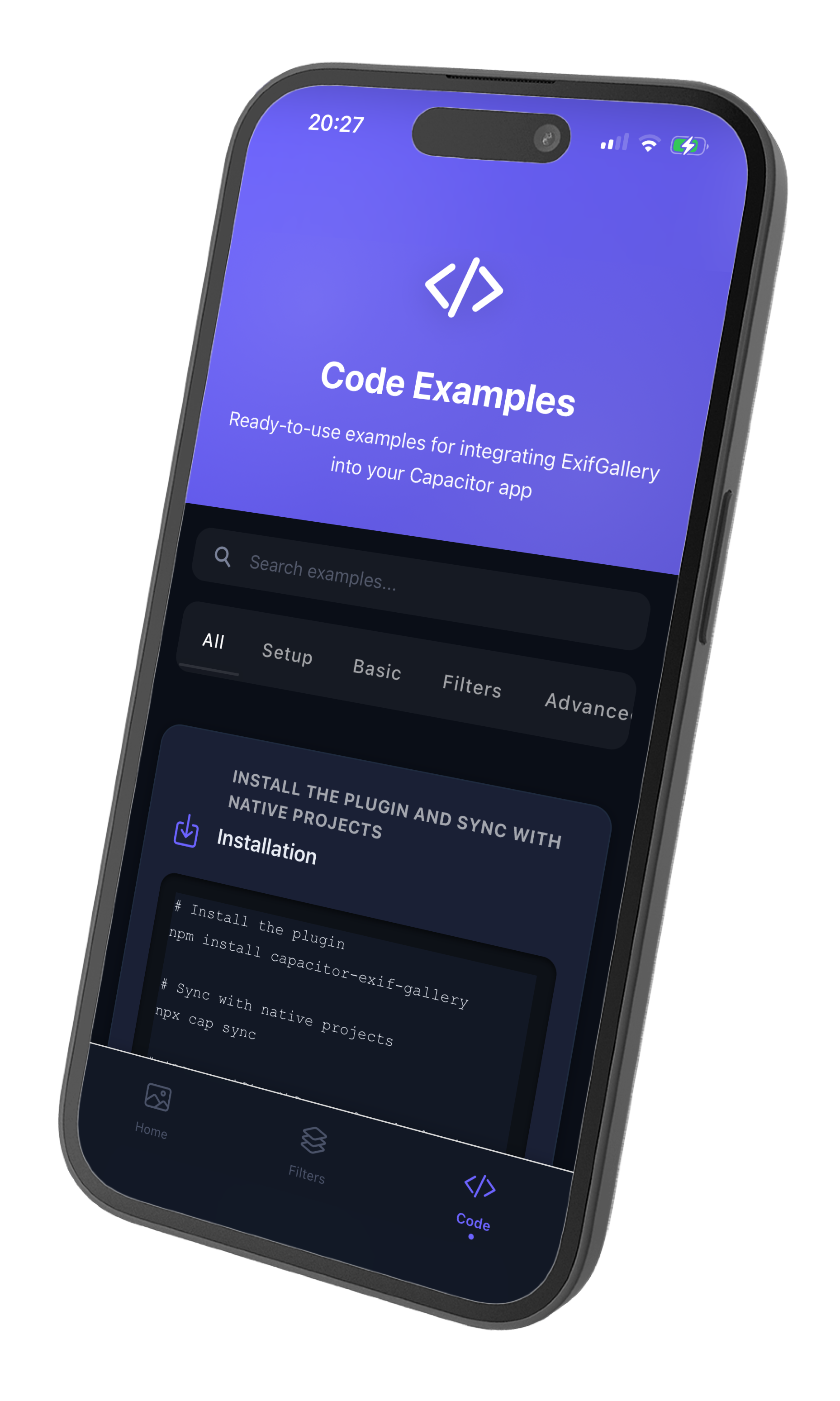
Install the plugin via npm and sync your Capacitor project.
1npm install @kesbyte/capacitor-exif-gallery2npx cap sync
2. Configure License Key
Required for production builds only. Debug builds work without a license for testing. Purchase your license key at https://plugins.kesbyte-digital.com/exif-gallery
iOS Configuration (Info.plist)
Open your ios/App/App/Info.plist and add:
1<key>KBExifGalleryLicense</key>2<string>YOUR_LICENSE_KEY_HERE</string>
Android Configuration (AndroidManifest.xml)
Open your android/app/src/main/AndroidManifest.xml and add inside the '<'application'>' tag:
1<application>2 <!-- Other configuration... -->34 <meta-data5 android:name="com.kesbytedigital.exifgallery.LICENSE_KEY"6 android:value="YOUR_LICENSE_KEY_HERE" />78</application>
Validation Behavior
✓Debug Builds: License validation is skipped — full functionality available for testing.
✓Production Builds: License is validated when pick() is called.
- ✓Valid license: Gallery opens normally
- ✗Invalid/missing license: pick() throws an error immediately
Error codes: LICENSE_MISSING, LICENSE_INVALID, LICENSE_BUNDLE_MISMATCH
The license is validated at the moment you call pick(), not during initialize(). This ensures fast app startup while still enforcing licensing before the plugin is actually used.
Troubleshooting
"License key not found" error:
- Verify the key name matches exactly: KBExifGalleryLicense (iOS) or com.kesbytedigital.exifgallery.LICENSE_KEY (Android)
- Ensure you ran npx cap sync after adding the license
- Check that the license key has no extra whitespace or line breaks
"Bundle ID mismatch" error:
- Your license is tied to a specific bundle ID (e.g., com.example.myapp)
- Verify your app's bundle ID matches the license
- iOS: Check CFBundleIdentifier in Info.plist
- Android: Check applicationId in build.gradle
3. Configure Permissions
iOS Permissions (Info.plist)
Add the following to your ios/App/App/Info.plist:
1<key>NSPhotoLibraryUsageDescription</key>2<string>This app needs access to your photo library to filter and select images</string>34<key>NSLocationWhenInUseUsageDescription</key>5<string>This app uses your location to enhance image filtering capabilities</string>
- NSPhotoLibraryUsageDescription: Required for reading photos from the library
- NSLocationWhenInUseUsageDescription: Required for location-based filtering (only when app is in use)
Android Permissions (AndroidManifest.xml)
Add the following to your android/app/src/main/AndroidManifest.xml:
1<!-- Photo Library Permissions -->2<uses-permission android:name="android.permission.READ_MEDIA_IMAGES" />3<uses-permission android:name="android.permission.READ_EXTERNAL_STORAGE" android:maxSdkVersion="32" />45<!-- Location Permission -->6<uses-permission android:name="android.permission.ACCESS_FINE_LOCATION" />
- READ_MEDIA_IMAGES: For Android 13+ (API 33+), granular image access
- READ_EXTERNAL_STORAGE: For Android 12 and below (API 32 or less), legacy storage access
- ACCESS_FINE_LOCATION: Required for location-based filtering
4. Initialize
Call initialize() once at app startup before using pick().
1import { ExifGallery } from '@kesbyte/capacitor-exif-gallery';23// During app initialization4await ExifGallery.initialize();
5. Open Gallery with Filters
Call pick() with optional filter configuration to open the native gallery.
1const result = await ExifGallery.pick({2 filter: {3 location: {4 coordinates: [{ lat: 52.52, lng: 13.40 }],5 radius: 5000 // 5km radius6 }7 }8});910// Access selected images11if (!result.cancelled) {12 result.images.forEach(image => {13 console.log(`Selected: ${image.uri}`);14 console.log(`Location: ${image.exif?.lat}, ${image.exif?.lng}`);15 console.log(`Timestamp: ${image.exif?.timestamp}`);16 });17}
Features in Detail
Location-Based Filtering
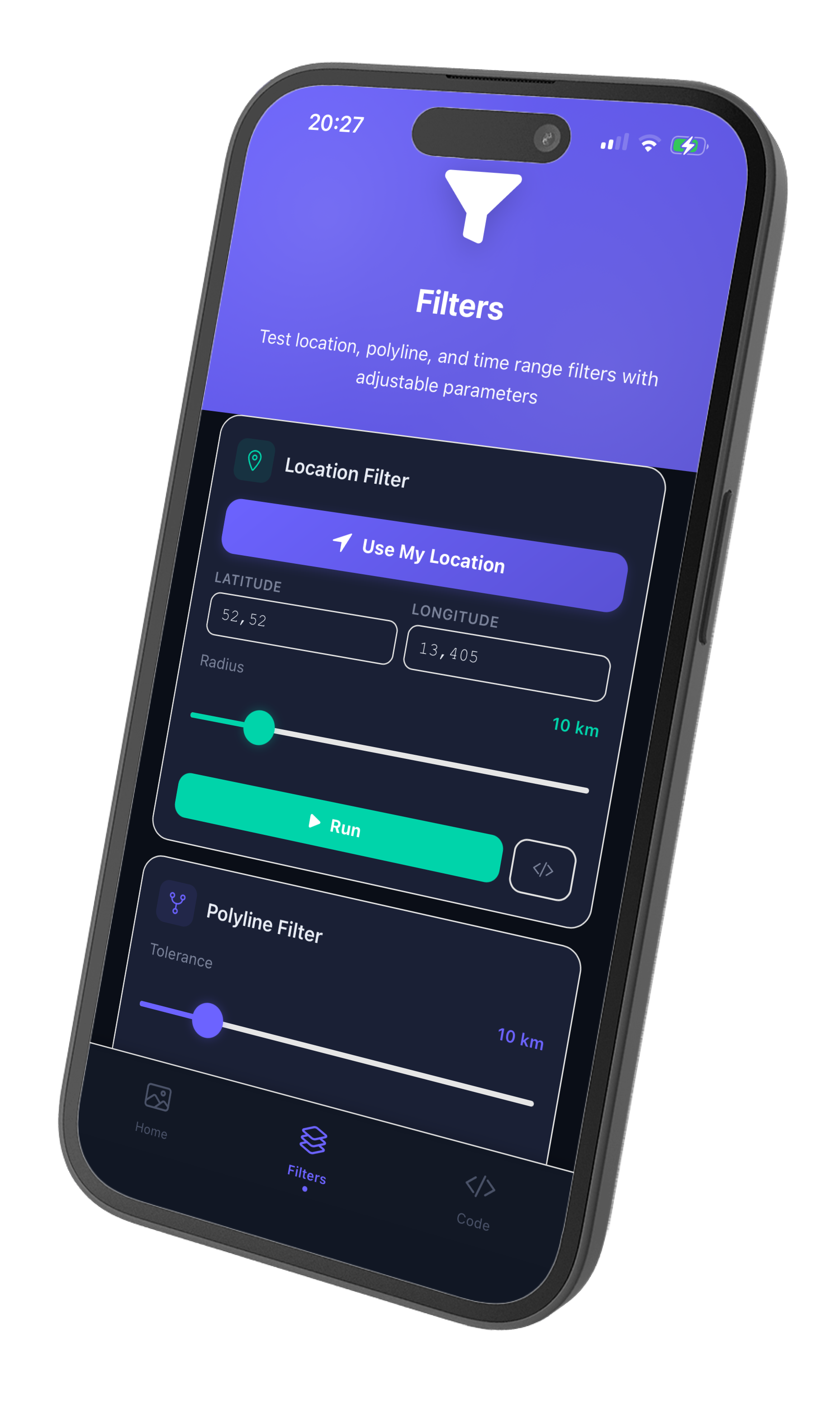
Filter images by geographic location with two flexible input formats. You can specify individual GPS coordinates or use encoded polylines from services like Google Maps.
Using coordinates
Pass an array of GPS coordinates to filter images within a specified radius of each point.
1const result = await ExifGallery.pick({2 filter: {3 location: {4 coordinates: [5 { lat: 52.5163, lng: 13.3777 }, // Berlin6 { lat: 48.1374, lng: 11.5755 } // Munich7 ],8 radius: 10000 // 10km around each point9 }10 }11});
Using encoded polylines (Google Maps format)
Pass an encoded polyline string from Google Directions API or similar services to filter images along a route.
1const result = await ExifGallery.pick({2 filter: {3 location: {4 polyline: route, // Encoded string like "_p~iF~ps|U_ulLnnqC"5 radius: 5000 // 5km corridor around route6 }7 }8});
Why encoded polylines?
- 92% smaller payload (5KB to 400 bytes for 100 points)
- URL-safe format
- Direct compatibility with Google Maps, Mapbox, OpenStreetMap
Time Range Filtering
Select images taken within a specific date/time window. The plugin reads the EXIF DateTimeOriginal timestamp — the actual capture moment, not the file modification date.
1const result = await ExifGallery.pick({2 filter: {3 timeRange: {4 start: new Date('2025-01-01'),5 end: new Date('2025-12-31')6 }7 }8});
Combined Filters (Location AND Time)
Apply multiple filters simultaneously. When both location and time filters are provided, images must match ALL criteria (AND logic).
1const result = await ExifGallery.pick({2 filter: {3 location: {4 coordinates: [{ lat: 52.52, lng: 13.40 }],5 radius: 50006 },7 timeRange: {8 start: new Date('2025-01-01'),9 end: new Date('2025-12-31')10 }11 }12});
EXIF Metadata Extraction
Access GPS coordinates and timestamp information from every selected image. The EXIF data is read natively without copying files to temporary directories.
1const result = await ExifGallery.pick();23result.images.forEach(image => {4 const exif = image.exif;5 if (exif) {6 console.log(`Latitude: ${exif.lat}`);7 console.log(`Longitude: ${exif.lng}`);8 console.log(`Taken at: ${exif.timestamp}`);9 }10});
Custom UI Text
Override any default UI string in any language. Translations are passed at initialization and merged with the built-in defaults.
1await ExifGallery.initialize({2 locale: 'en',3 customTexts: {4 galleryTitle: 'Select Your Photos',5 selectButton: 'Pick Images',6 cancelButton: 'Close',7 filterDialogTitle: 'Advanced Filters',8 emptyMessage: 'No photos found matching your criteria'9 }10});
Automatic Permission Handling
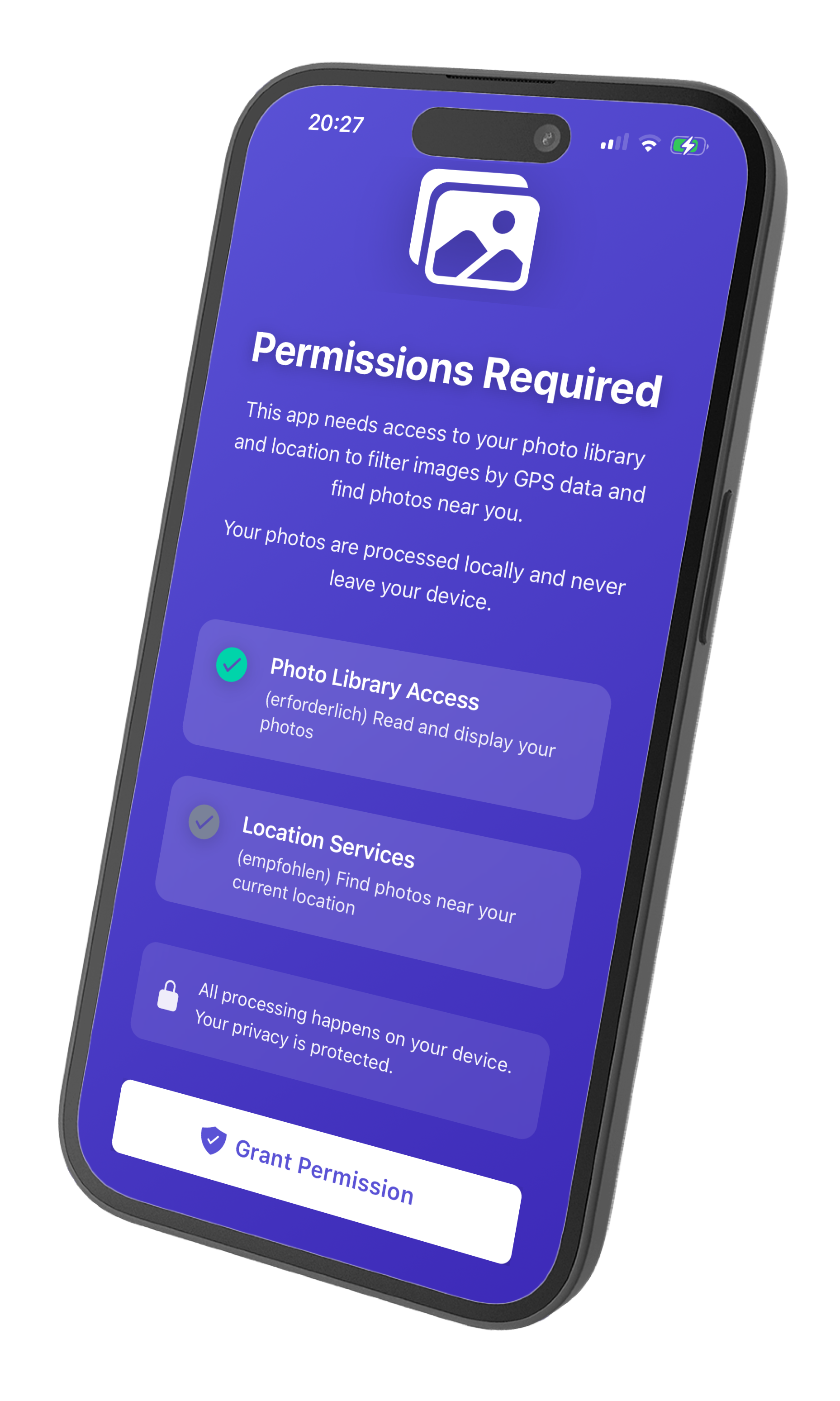
The plugin requests photo library and location permissions just-in-time when pick() is called. You can optionally request permissions upfront during onboarding by setting requestPermissionsUpfront to true.
1await ExifGallery.initialize({2 requestPermissionsUpfront: true3});
Usage Examples
Basic Gallery
Open the gallery without filters. Users can manually select any images from their library.
1import { ExifGallery } from '@kesbyte/capacitor-exif-gallery';23const result = await ExifGallery.pick();45if (!result.cancelled) {6 const fileUris = result.images.map(img => img.uri);7 console.log(`Selected ${fileUris.length} images`);8}
Location Filter with Fallback
Automatically switches to time-based filtering if the location filter returns fewer results than the fallbackThreshold.
1const result = await ExifGallery.pick({2 filter: {3 location: {4 coordinates: [{ lat: 52.52, lng: 13.40 }],5 radius: 1000 // 1km - strict radius6 }7 },8 fallbackThreshold: 5 // Switch to time filter if < 5 images found9});
Pre-configured Filters (Read-only)
Enforce specific filters without allowing users to adjust them. Set allowManualAdjustment to false to lock the filter configuration.
1const result = await ExifGallery.pick({2 filter: {3 location: {4 coordinates: [{ lat: 48.85, lng: 2.29 }], // Paris5 radius: 200006 }7 },8 allowManualAdjustment: false // User cannot change filters9});
Interactive Filter UI
Allow users to adjust filters in the native gallery interface. This is the default behavior (allowManualAdjustment defaults to true).
1const result = await ExifGallery.pick({2 filter: {3 timeRange: {4 start: new Date('2025-01-01'),5 end: new Date('2025-12-31')6 }7 },8 allowManualAdjustment: true // Default - user can adjust9});
Multi-language Support
Switch the native UI language at runtime by re-initializing with a different locale. Built-in support for English, German, French, and Spanish.
1// German UI2await ExifGallery.initialize({ locale: 'de' });3const resultDE = await ExifGallery.pick();45// French UI6await ExifGallery.initialize({ locale: 'fr' });7const resultFR = await ExifGallery.pick();89// Spanish UI10await ExifGallery.initialize({ locale: 'es' });11const resultES = await ExifGallery.pick();
Route-Based Filtering
Filter images along a recorded hiking or travel route using an encoded polyline. The radius parameter defines the corridor width on each side of the route.
1// Your recorded GPS points from a Strava activity or hiking app2const routePolyline = "_p~iF~ps|U_ulLnnqC_seK`xwE";34const result = await ExifGallery.pick({5 filter: {6 location: {7 polyline: routePolyline,8 radius: 2000 // 2km corridor on each side of route9 }10 }11});1213console.log(`Found ${result.images.length} photos along your route`);
API Reference
Methods
initialize(config?: InitConfig)
Initialize the plugin with optional configuration. Must be called before pick(). Can be called multiple times to update configuration.
Default behavior (no config):
- Detects system language automatically
- Uses built-in English/German/French/Spanish translations
- Requests permissions just-in-time (when pick() is called)
config (optional) — InitConfig object
pick(options?: PickOptions)
Open the native gallery with optional filters and return selected images. Must call initialize() first, otherwise throws initialization_required error.
Filter behavior:
- If filter provided: Gallery opens with pre-configured filters
- If no filter: User can manually set filters in gallery UI
- Auto-fallback: If location filter returns fewer images than fallbackThreshold, falls back to time filter
options (optional) — PickOptions object
Promise'<'PickResult'>'
Interfaces
InitConfig
Plugin initialization configuration. All properties are optional.
| Property | Type | Description |
|---|---|---|
| locale | 'en' | 'de' | 'fr' | 'es' | Optional locale for UI text. Auto-detects system language if not provided. Falls back to English if system language not supported. |
| customTexts | Partial<TranslationSet> | Optional custom text overrides. Merges with default translations. Override only the keys you need. |
| requestPermissionsUpfront | boolean | Request photo library permissions during initialization. Default: false (permissions requested just-in-time when pick() is called). |
PickOptions
Options for the pick() method.
| Property | Type | Description |
|---|---|---|
| filter | FilterConfig | Optional filter configuration to pre-configure the gallery. If not provided, user can manually set filters in the gallery UI. |
| fallbackThreshold | number | Minimum number of results before automatic fallback to time filter. Default: 5. |
| allowManualAdjustment | boolean | Allow user to manually adjust filters in the gallery UI. Default: true. Set to false to enforce the provided filter configuration. |
PickResult
Result from the pick() method.
| Property | Type | Description |
|---|---|---|
| images | ImageResult[] | Array of selected images. Empty if user cancelled or no images matched filters. |
| cancelled | boolean | true if user explicitly cancelled. false if user confirmed selection (even if empty). |
ImageResult
Single image result from pick().
| Property | Type | Description |
|---|---|---|
| uri | string | File URI for the image (file:// path). Can be used to display or upload the image. |
| exif | ImageExif | undefined | EXIF metadata if available. May be undefined if image has no EXIF data. |
| filteredBy | 'time' | 'location' | How this image was filtered: 'location' = matched location filter, 'time' = matched time filter (or fallback). |
ImageExif
EXIF metadata extracted from an image.
| Property | Type | Description |
|---|---|---|
| lat | number | undefined | Latitude from GPS EXIF data (if available). |
| lng | number | undefined | Longitude from GPS EXIF data (if available). |
| timestamp | Date | undefined | Timestamp from EXIF DateTimeOriginal (if available). |
FilterConfig
Combined filter configuration for location and/or time.
| Property | Type | Description |
|---|---|---|
| location | LocationFilter | Optional location-based filter. If provided with timeRange, both filters are applied (AND condition). |
| timeRange | TimeRangeFilter | Optional time range filter. If provided with location, both filters are applied (AND condition). |
LocationFilter
Location-based filter configuration.
| Property | Type | Description |
|---|---|---|
| polyline | LatLng[] | string | GPS track as array of coordinates or encoded polyline string. Images within radius meters of any point on the polyline will match. |
| coordinates | LatLng[] | Individual coordinate points. Images within radius meters of any coordinate will match. |
| radius | number | Search radius in meters. Default: 100. |
LatLng
Geographic coordinate with latitude and longitude.
| Property | Type | Description |
|---|---|---|
| lat | number | Latitude in decimal degrees (-90 to +90). |
| lng | number | Longitude in decimal degrees (-180 to +180). |
TimeRangeFilter
Time range filter configuration.
| Property | Type | Description |
|---|---|---|
| start | Date | Start date/time for the filter. Images taken at or after this time will match. |
| end | Date | End date/time for the filter. Images taken at or before this time will match. |
TranslationSet
Complete set of UI text keys used by the native gallery interface. All keys are available for customization via customTexts in InitConfig.
| Key | Description |
|---|---|
| galleryTitle | Gallery screen title |
| selectButton | "Select" button text |
| cancelButton | "Cancel" button text |
| selectAllButton | "Select All" button text |
| deselectAllButton | "Deselect All" button text |
| selectionCounter | Selection counter (supports {count} and {total} placeholders) |
| confirmButton | "Confirm" button text |
| filterDialogTitle | Filter dialog title |
| radiusLabel | "Radius (meters)" label |
| startDateLabel | "Start Date" label |
| endDateLabel | "End Date" label |
| loadingMessage | "Loading images..." message |
| emptyMessage | "No images found" message |
| errorMessage | "An error occurred" message |
| retryButton | "Retry" button text |
| initializationError | "Plugin not initialized" error |
| permissionError | "Permission denied" error |
| filterError | "Invalid filter parameters" error |
SupportedLocale
Supported languages for built-in translations: 'en' (English), 'de' (German), 'fr' (French), 'es' (Spanish).
1type SupportedLocale = 'en' | 'de' | 'fr' | 'es';
Licensing
Capacitor EXIF Gallery uses a commercial license model. The plugin is free for debug/development builds, and requires a valid license key for production builds.
Debug Builds (Free)
- ✓No license key required for debug/development builds
- ✓Full functionality available for integration and testing
- ✓Integrate the plugin into your app and test all features freely
Production Builds (License Required)
- !License key REQUIRED for production/release builds
- !Production builds will fail validation without a valid license
- !Purchase a license at https://plugins.kesbyte-digital.com/exif-gallery
How It Works
- 1Development: Install and test the plugin freely in debug builds
- 2Production: Purchase a license key before releasing your app
- 3Integration: Add the license key to your app configuration (Info.plist / AndroidManifest.xml)
- 4Build: Production builds validate the license automatically when pick() is called
Frequently Asked Questions
Support
Need help integrating the EXIF Gallery plugin? Here are the available support channels: